

7,000 channels and 18,000 movies — what VenneTV actually offers
You don’t need vague promises. You need a clear list of what’s inside.
With VenneTV you get 7,000+ live channels plus a 18,000-title movies & series library. This page breaks it down: which channel types you can expect (Germany + international), how the TV guide (EPG) works, how fast you can find a channel in your app, and what “4K UHD where available” really means in day-to-day streaming.
With VenneTV you get 7,000+ live channels plus a 18,000-title movies & series library. This page breaks it down: which channel types you can expect (Germany + international), how the TV guide (EPG) works, how fast you can find a channel in your app, and what “4K UHD where available” really means in day-to-day streaming.
1) Live TV: what “7,000+ channels” really includes
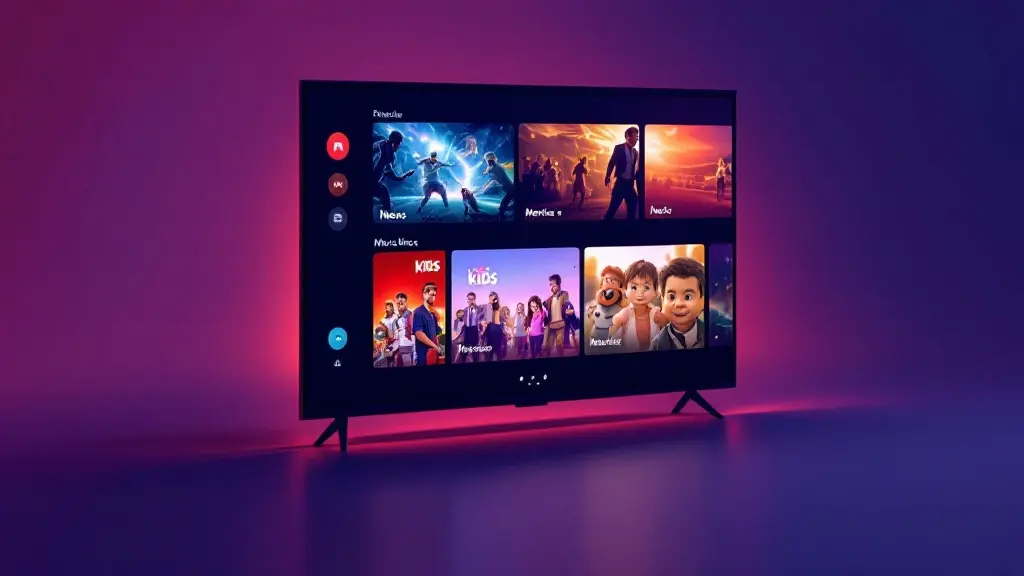
The 7,000+ live channels number isn’t just one country list. It’s a mixed catalog: German basics plus international lineups across multiple regions and languages. You’ll typically see a wide spread of categories so you can build your own “daily TV” mix instead of hunting across random sources.
What’s usually included in the live section:
Important: channel lists are not static. VenneTV runs regular channel updates. That means channels may move between groups, change names, or get replaced if a source changes. In practice, this is what keeps the list usable over time—especially if you rely on favorites and the TV guide.
What’s usually included in the live section:
- DE + DACH focus: German-language TV plus common Austrian/Swiss options, depending on the channel lineup updates.
- International TV: country packages and mixed-language selections (see section on international packs below).
- News & business: local and international news channels so you can switch quickly between perspectives.
- Documentaries: nature, history, science, and factual entertainment channels.
- Kids: family-friendly options you can pin to favorites (helpful when you don’t want kids browsing the full list).
- Entertainment: general TV, reality, comedy, and lifestyle channels.
- Adult: available in the catalog; you control access via app-level features (profiles, favorites, hidden groups) depending on the player you use.
Important: channel lists are not static. VenneTV runs regular channel updates. That means channels may move between groups, change names, or get replaced if a source changes. In practice, this is what keeps the list usable over time—especially if you rely on favorites and the TV guide.
2) Sports lineup: what to expect and how to navigate it
If sports is your main reason for IPTV, your biggest problem is usually not “finding a sports channel” — it’s finding the right one fast when there are dozens of similar feeds. VenneTV’s sports side is best understood as a sports channel category plus country packages that include sports networks.
Sports channels you may see listed in the catalog (depending on lineup updates):
How to make sports easier inside your app:
Note: sports availability can change with ongoing channel maintenance and updates. The practical takeaway is to set up your favorites once, then your daily use becomes “open app → favorites → play,” not “open app → endless scrolling.”
Sports channels you may see listed in the catalog (depending on lineup updates):
- Sky Sport channels
- DAZN channels
- Magenta Sport channels
- Eurosport channels
- Additional sports networks by country (UK/USA/IT/ES/FR/TR, etc.)
How to make sports easier inside your app:
- Use Favorites: add only your go-to sports channels so you don’t scroll through thousands.
- Use groups/categories: most IPTV apps let you collapse categories. Keep “Sports” expanded, everything else closed.
- Use EPG time filters: when the EPG is available for a channel, you can jump by program blocks instead of zapping blindly.
- Search by channel name: faster than browsing country folders when you already know what you want.
Note: sports availability can change with ongoing channel maintenance and updates. The practical takeaway is to set up your favorites once, then your daily use becomes “open app → favorites → play,” not “open app → endless scrolling.”
3) Movies & series (VOD): what the 18,000 library means in practice
Live TV is for “right now.” The 18,000+ movies and series catalog is for everything else: evenings, weekends, and on-demand binge sessions. VenneTV includes a built-in VOD library alongside live channels, so you don’t have to switch platforms when you want a film instead of a channel.
How the VOD library is typically organized:
What to realistically expect from a large VOD list:
The most important habit for VOD is using search and filters. With 18,000 titles, “scrolling” is never the best experience. Search a title, check the available versions, then save it to your watchlist/favorites if your app supports it.
How the VOD library is typically organized:
- Movies: browse by genre and sometimes by year or popularity.
- Series: structured as show → seasons → episodes (depends on the app/player UI).
- Search: the fastest way to use VOD if you already know a title.
- Recently added: helpful because the library is updated over time.
What to realistically expect from a large VOD list:
- Depth: you get many options, including older titles you won’t find highlighted elsewhere.
- Multiple languages: some titles may appear in different language versions, depending on how they’re provided.
- Different quality levels: some titles are HD, some are lower, and some are 4K where available (see next section).
The most important habit for VOD is using search and filters. With 18,000 titles, “scrolling” is never the best experience. Search a title, check the available versions, then save it to your watchlist/favorites if your app supports it.
4) 4K UHD “where available”: quality, devices, and what affects it
VenneTV supports 4K UHD where available. That phrase matters because video quality is not one fixed setting across the entire catalog. It depends on the specific channel or VOD title, plus your device and connection.
What “4K where available” usually looks like:
What you need for a good UHD experience:
Quality tip that saves time: if a channel buffers in UHD, try the HD version (if listed) for that moment. It’s often better to watch smoothly in HD than to fight buffering in UHD during peak hours.
What “4K where available” usually looks like:
- Some live channels may offer UHD/4K feeds while others stay in HD.
- VOD may include a mix of qualities, sometimes with more than one version of a title.
- Not every category will have the same share of 4K content.
What you need for a good UHD experience:
- A capable device: 4K-capable Smart TV, Android box, Fire TV, or a modern phone/tablet can work. Older hardware can struggle even with strong internet.
- Stable connection: UHD needs more bandwidth and stability than HD. Wi‑Fi can work, but Ethernet is often smoother on TV boxes.
- A solid player/app: some apps handle buffering and stream switching better than others. VenneTV gives you its own web player + free app choice, so you can pick what runs best on your setup.
Quality tip that saves time: if a channel buffers in UHD, try the HD version (if listed) for that moment. It’s often better to watch smoothly in HD than to fight buffering in UHD during peak hours.
5) International packages: UK, USA, FR, ES, IT, NL, TR and more
If you live in Germany/EU but want TV from home (or you’re learning a language), the international section is where the big channel count becomes useful. VenneTV includes international packages so you can jump straight into a country folder instead of mixing everything together.
Common international packs you can expect:
How to use country packs efficiently:
Because the catalog is updated regularly, a channel might be renamed, moved, or replaced in its pack. If you notice a favorite missing, it’s usually faster to search the name again than to scroll the full country list.
Common international packs you can expect:
- UK: entertainment, news, and sports networks depending on lineup updates.
- USA: a broad mix including mainstream TV and themed channels.
- France (FR): general TV, news, kids, and entertainment categories.
- Spain (ES): national channels plus themed groups.
- Italy (IT): general entertainment, news, and sports categories depending on the list.
- Netherlands (NL): compact but useful pack for Dutch speakers.
- Turkey (TR): strong variety across news and entertainment.
How to use country packs efficiently:
- Create favorites per language: e.g., “DE daily,” “TR family,” “UK sports.”
- Use channel search when you know the name; use country folders when you want to browse.
- Pin categories (in apps that support it) so you always land on the pack you use most.
Because the catalog is updated regularly, a channel might be renamed, moved, or replaced in its pack. If you notice a favorite missing, it’s usually faster to search the name again than to scroll the full country list.
6) EPG (TV guide), channel search, and updates: how the catalog stays usable
A huge IPTV list is only helpful if you can navigate it. VenneTV focuses on practical usability: EPG/TV guide support, clear grouping, search, and ongoing channel maintenance.
How the EPG works (in normal day-to-day use):
Channel search in apps is your biggest speed win. With 7,000+ channels, search is the difference between “scrolling for 3 minutes” and “playing in 3 seconds.” Most IPTV apps allow:
Regular channel updates matter because streams can change. A stable service isn’t the one that never changes—it’s the one that keeps fixing the list. VenneTV has been stable since 2018 and provides German-language support if you need help with setup, apps, or troubleshooting on your device.
And if you don’t want a contract: VenneTV is built for flexibility with no subscription and no contract lock-in. You choose how you want to use it.
How the EPG works (in normal day-to-day use):
- Channel-level guide data: where available, you’ll see current/next shows and a timeline view in your app.
- Program browsing: you can jump forward to see what’s on later (depending on app features).
- Fast zapping with context: instead of guessing what’s on, you decide based on the guide.
Channel search in apps is your biggest speed win. With 7,000+ channels, search is the difference between “scrolling for 3 minutes” and “playing in 3 seconds.” Most IPTV apps allow:
- Search by channel name (and sometimes partial matches).
- Search inside a category (e.g., only within Sports or only within UK).
- Search VOD titles separately from live channels.
Regular channel updates matter because streams can change. A stable service isn’t the one that never changes—it’s the one that keeps fixing the list. VenneTV has been stable since 2018 and provides German-language support if you need help with setup, apps, or troubleshooting on your device.
And if you don’t want a contract: VenneTV is built for flexibility with no subscription and no contract lock-in. You choose how you want to use it.
Want to see the catalog on your own device instead of guessing from screenshots? Get the 48-hour free trial (email-only, no credit card) and test channels, EPG, and VOD in your favorite app or the web player. If you decide to continue, you can pay normally or choose anonymous crypto payment—and you’re not locked into a contract.